Render a gradients
Chào các bạn đã quay lại với bài tutorial này của mình. Và
Bây giờ đến với tiết học làm đẹp. Ahihi!
Trong giới làm app iOS nói chung thì có rất nhiều kiểu làm đẹp cho app. Trong đó khi nói tới Gradient thì hầu như mọi người đều muốn sử dụng image có sẵn để tốn công render hoặc nó cũng hơi phức tạp một chút.
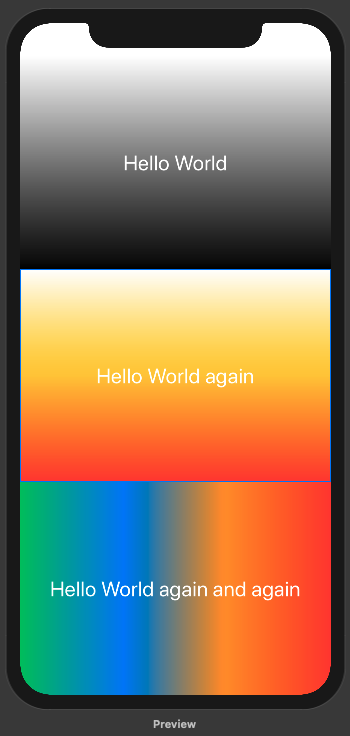
Đây là 3 ví dụ đơn giản trong SwiftUI để tạo ra 1 gradient một cách nhanh chóng nhất.
Nguyên tắc
- Ta set
backgroundcho View - Background ở đây thì có thể từ bất kì thứ nào và với mong muốn
Gradientthì sử dụngLinearGradient - Với LinearGradient thì ta lại cần 2 tham số chính
- Dãi màu là 1 array
Color - Vị trí 2 điểm
startvàend
- Dãi màu là 1 array
Coding
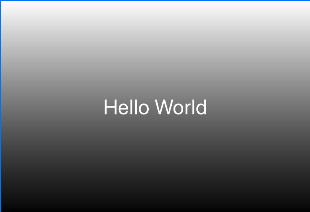
Ví dụ 1: Trắng và đen + từ trên xuống dưới
LinearGradient(gradient: Gradient(colors: [.white, .black]), startPoint: .top, endPoint: .bottom)
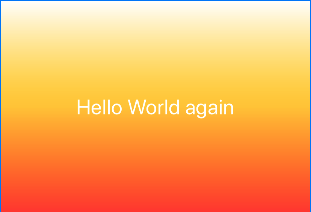
Ví dụ 2: Sử dụng 3 màu “Trắng, Cam, Đỏ”
LinearGradient(gradient: Gradient(colors: [.white, .yellow, .red]), startPoint: .top, endPoint: .bottom)
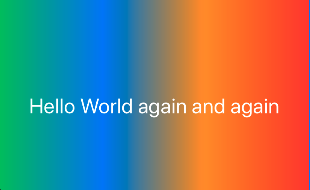
Ví dụ 3: Sử dụng nhiều màu hơn và đi từ phải sang trái
LinearGradient(gradient: Gradient(colors: [.green, .blue, .orange, .red]), startPoint: .leading, endPoint: .trailing)
Kết hợp vào background
.background(LinearGradient(gradient: Gradient(colors: [.white, .yellow, .red]), startPoint: .top, endPoint: .bottom), cornerRadius: 0)
Full code cho hình trên cùng!
struct ContentView : View {
    var body: some View {
        VStack {
            Text("Hello World")
                .frame(minWidth: 0, maxWidth: .infinity, minHeight: 0, maxHeight: .infinity)
                .font(.title)
                .foregroundColor(.white)
                .background(LinearGradient(gradient: Gradient(colors: [.white, .black]), startPoint: .top, endPoint: .bottom), cornerRadius: 0)
            Text("Hello World again")
                .frame(minWidth: 0, maxWidth: .infinity, minHeight: 0, maxHeight: .infinity)
                .font(.title)
                .foregroundColor(.white)
                .background(LinearGradient(gradient: Gradient(colors: [.white, .yellow, .red]), startPoint: .top, endPoint: .bottom), cornerRadius: 0)
            Text("Hello World again and again")
                .frame(minWidth: 0, maxWidth: .infinity, minHeight: 0, maxHeight: .infinity)
                .font(.title)
                .foregroundColor(.white)
                .background(LinearGradient(gradient: Gradient(colors: [.green, .blue, .orange, .red]), startPoint: .leading, endPoint: .trailing), cornerRadius: 0)
        }
    }
}
Cảm ơn bạn đã đọc và theo dõi bài viết này. Ngoài ra, bạn muốn xem trực quan sinh động hơn thì có thể xem ở link video sau.